



Everyone has seen our big release announcements, the larger product features and modules that shape our roadmap. But if you ask our clinic partners what actually changes their day-to-day operations, it’s often not one giant feature.
It’s the hundreds of small improvements that remove friction, save time, reduce errors, and help teams move faster, especially in complex, real-world 340B pharmacy workflows like home delivery, multi-site pickup, PBM compliance, and high-volume patient communication.
That’s what sets Alchemy apart: the speed and consistency with which we deliver improvements to our clinic partners. Not an endless backlog that never gets delivered. Not once a quarter. Not once a month. Not weekly. Daily.
So in December (and a little spillover into January), we ran a campaign called “30 Features in 30 Days” to give the market a behind-the-scenes look at the velocity of what we build and to make one thing clear: No one matches our pace in 340B pharmacy software.
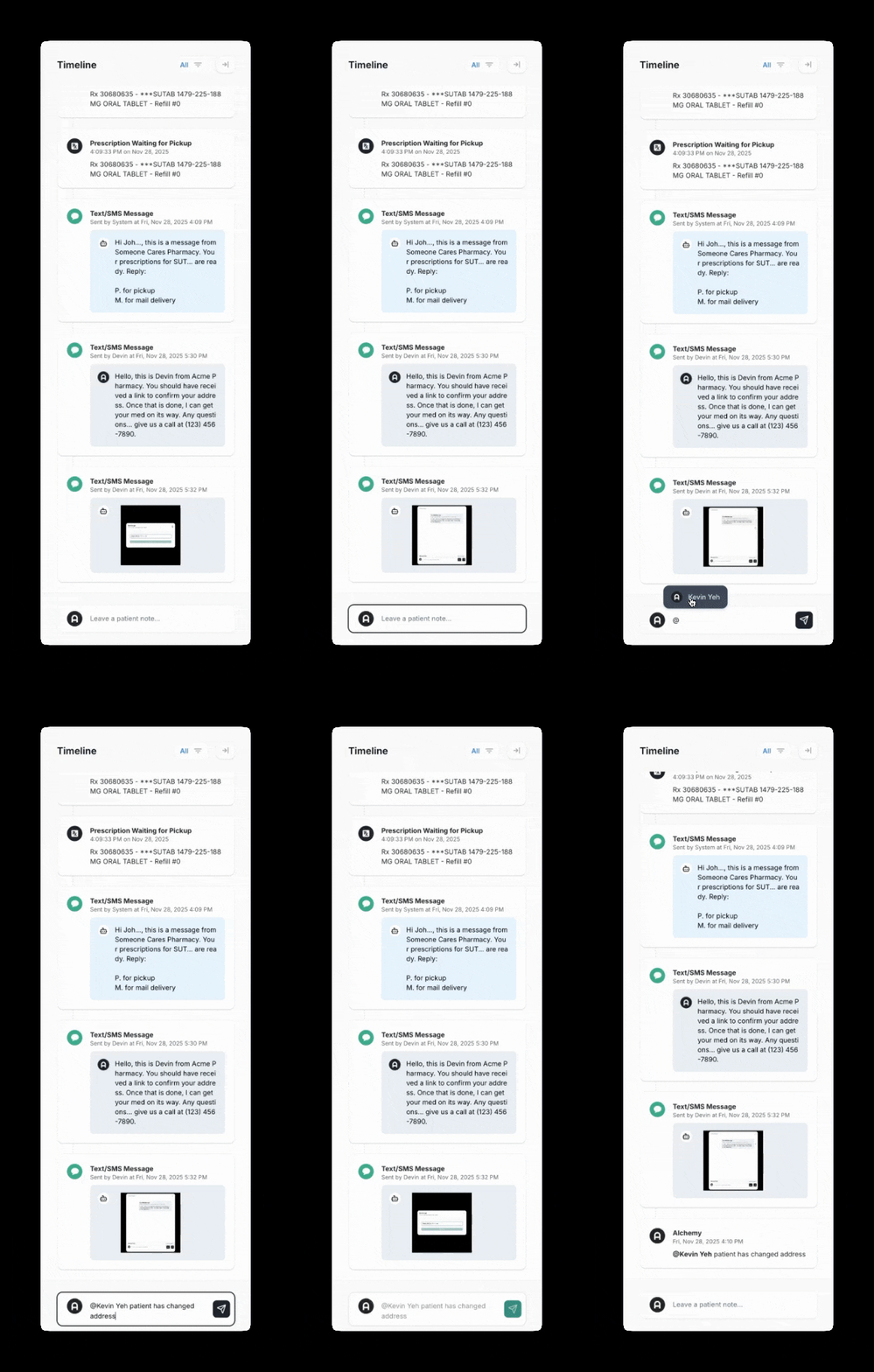
1. @Mentioning in Notes
If you’ve ever used a social platform, you already know the power of an @Mention. Now, we’re bringing that same intuitive experience directly into the Patient Profile. Users can now @tag anyone on their team within Notes, and the message will automatically appear in that person’s Inbox making coordination faster, cleaner, and more streamlined. And yes… you can even @mention @Alchemy if you need support. We’ll be there. Usually in minutes.
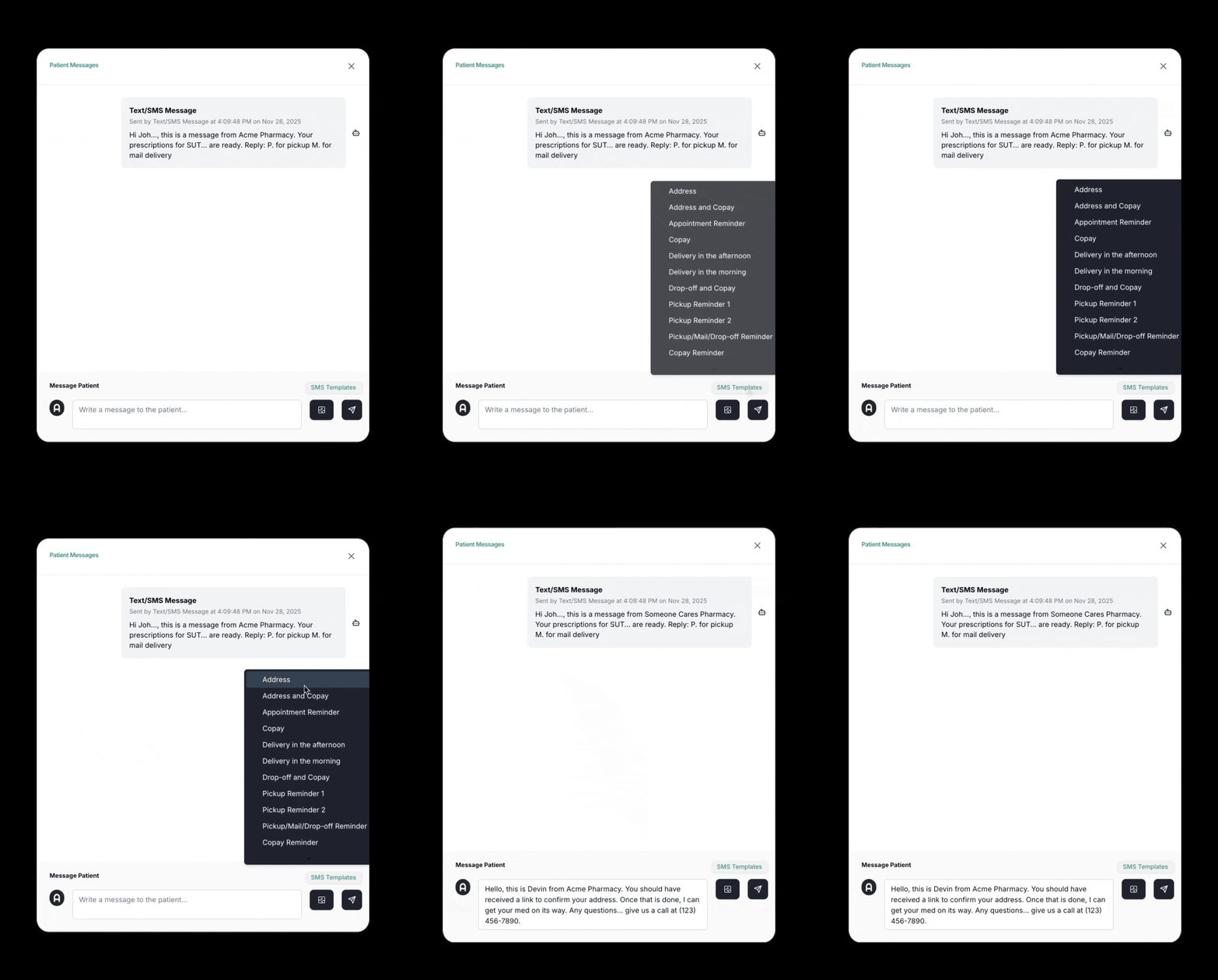
2. Turbocharged 2-Way Texting: Templates + Photos
If there’s one channel pharmacy teams rely on every single day to reach patients, it’s text messaging. Patients read texts. They respond to texts. And clinics need fast, reliable, compliant ways to communicate with them. So today’s feature drop is all about speed and clarity. Text/SMS Templates for Instant Outreach, Send & Receive Photos via Text/SMS
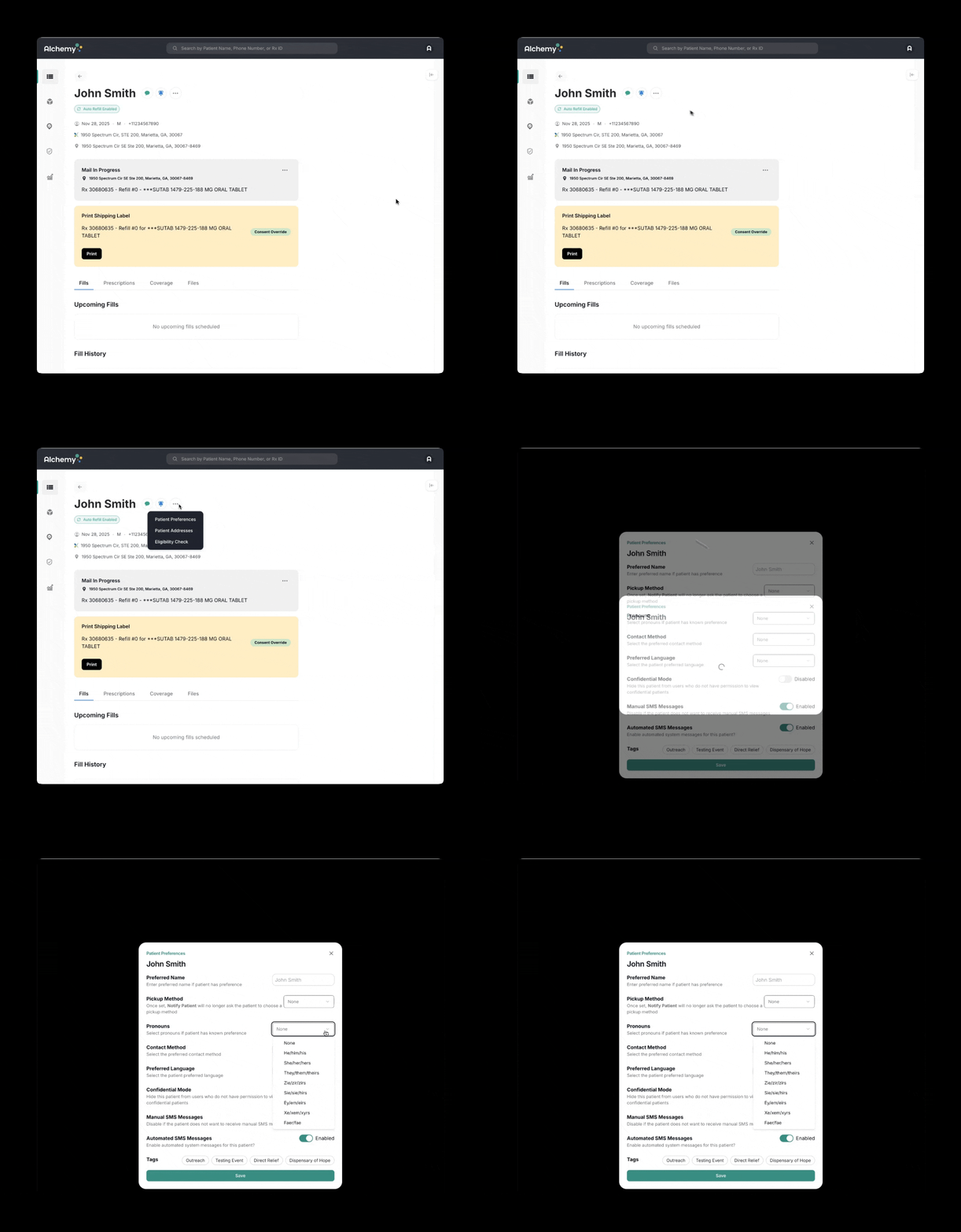
3. Preferred Pronouns in Patient Profiles
Today’s feature is simple on the surface, but incredibly meaningful in practice… meeting a patient where they are starts with referring to them the way they want to be addressed…
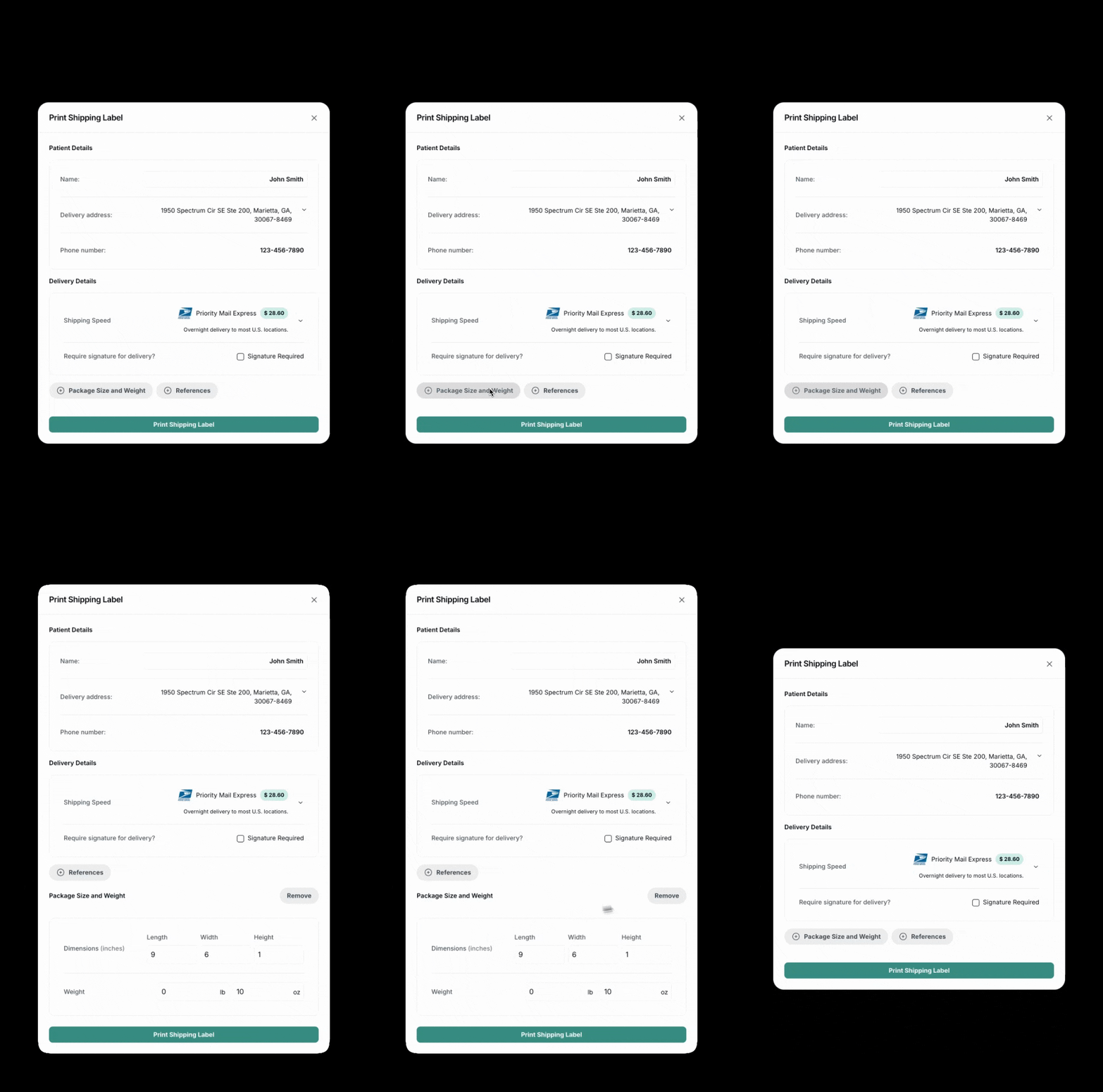
4. Set Custom Package Weight & Dimensions
Meeting patients where they are… includes robust home delivery… Users can now enter package weight and dimensions directly when creating a shipping label…
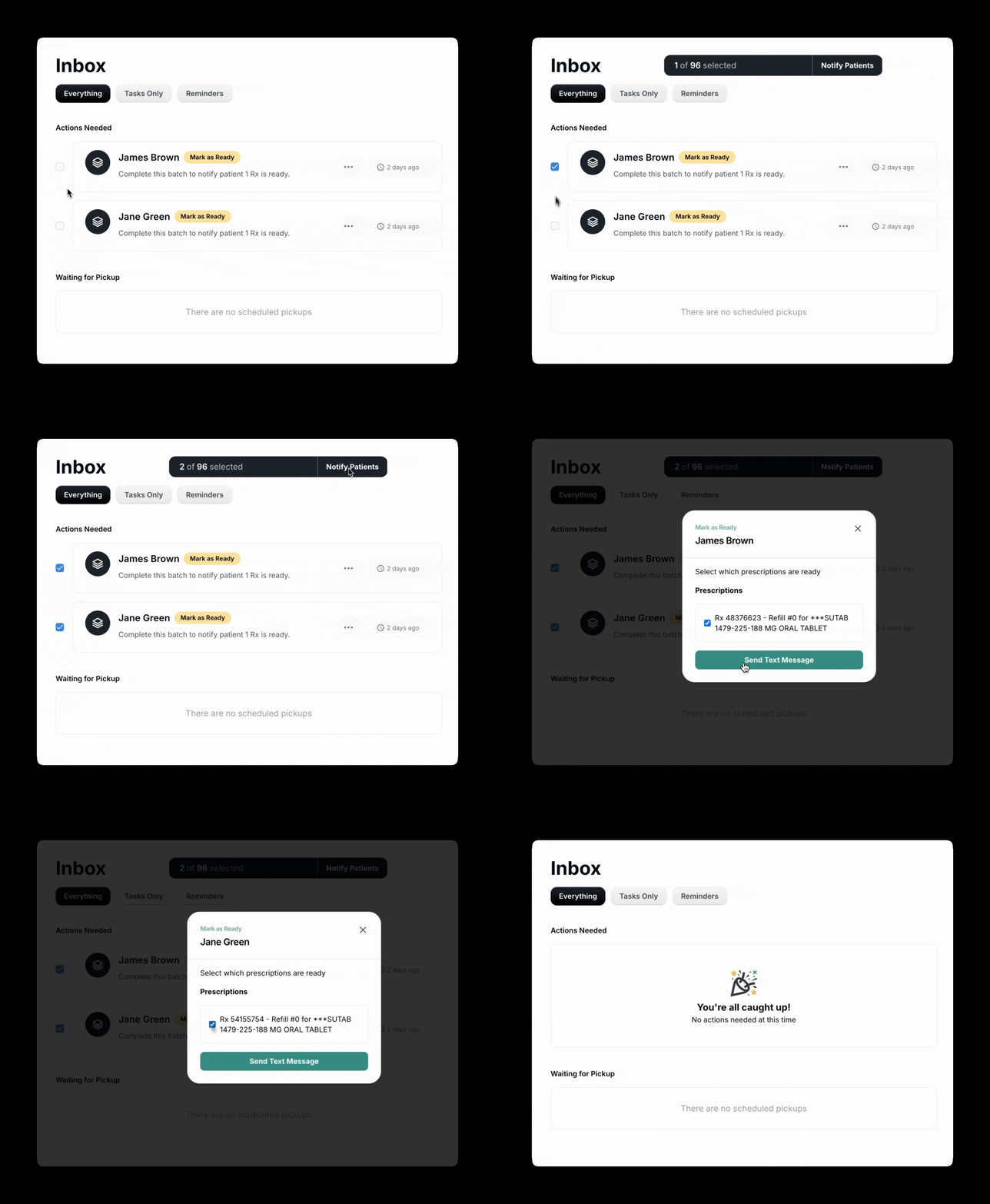
5. Bulk Actions on Batches
Every second saved matters… Pharmacists can now take an action on multiple batches at once directly from the Inbox…
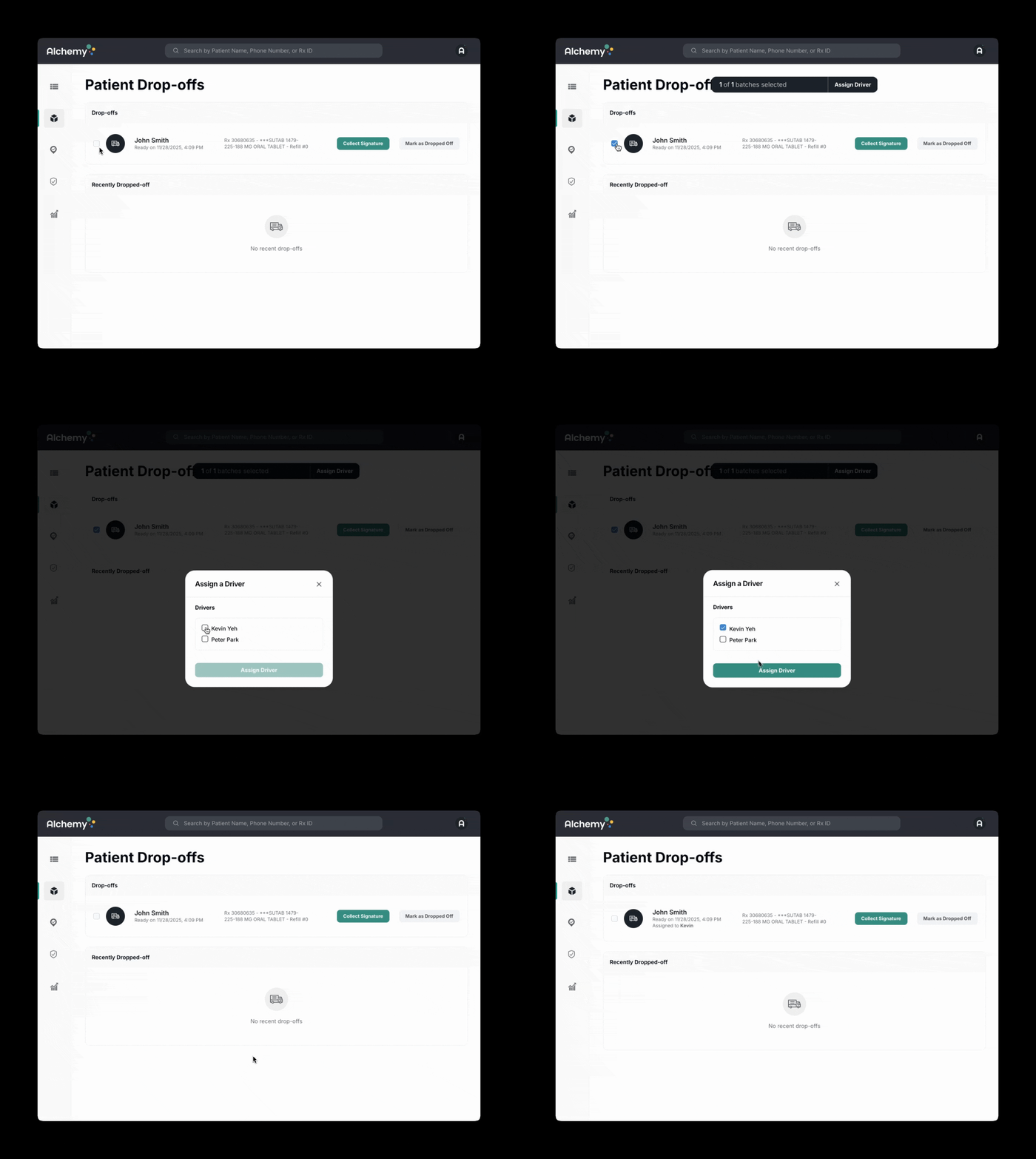
6. Assigning Prescription Batches to Delivery Drivers
We support clinic partners who hire courier drivers… NEW: Assign a batch of prescriptions to a driver…
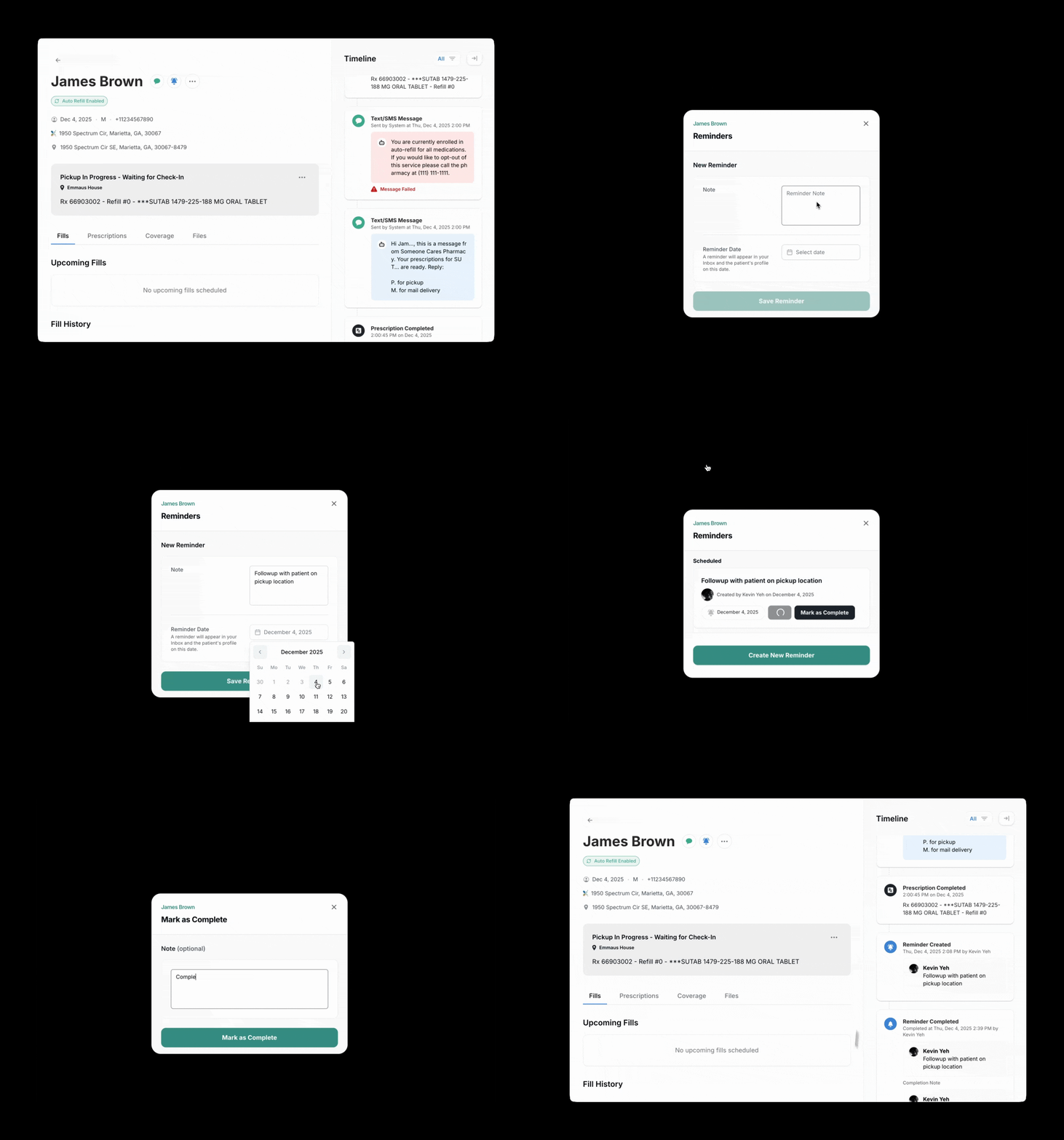
7. Custom Reminders
Reminders are overlooked in pharmacy systems… Pharmacists want the equivalent of a Post-It Note. So we built it…
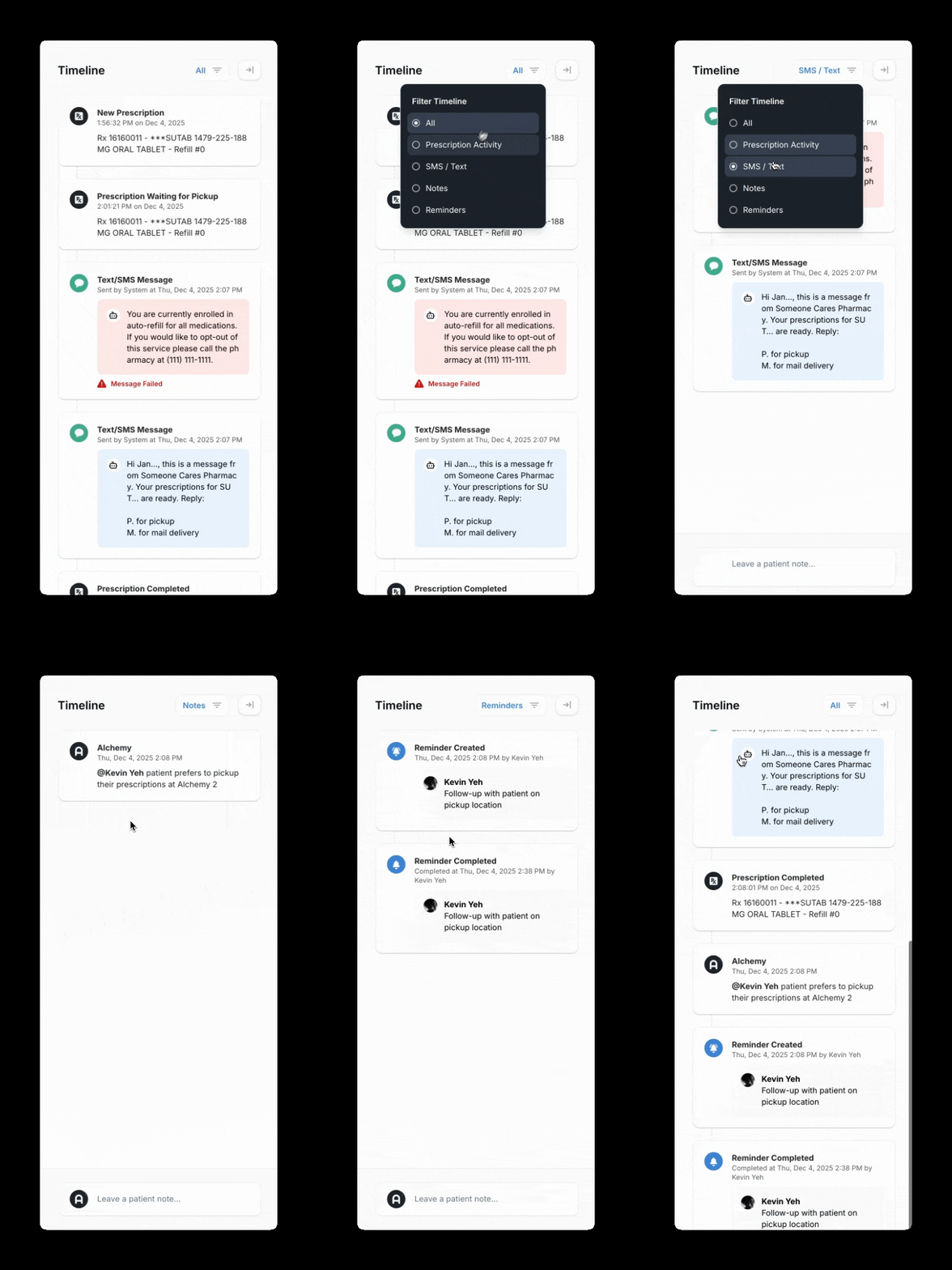
8. Filter Patient Timeline by Event Type
Patient Timelines are a complete chronological view… Now you can filter by event type to find exactly what you need…
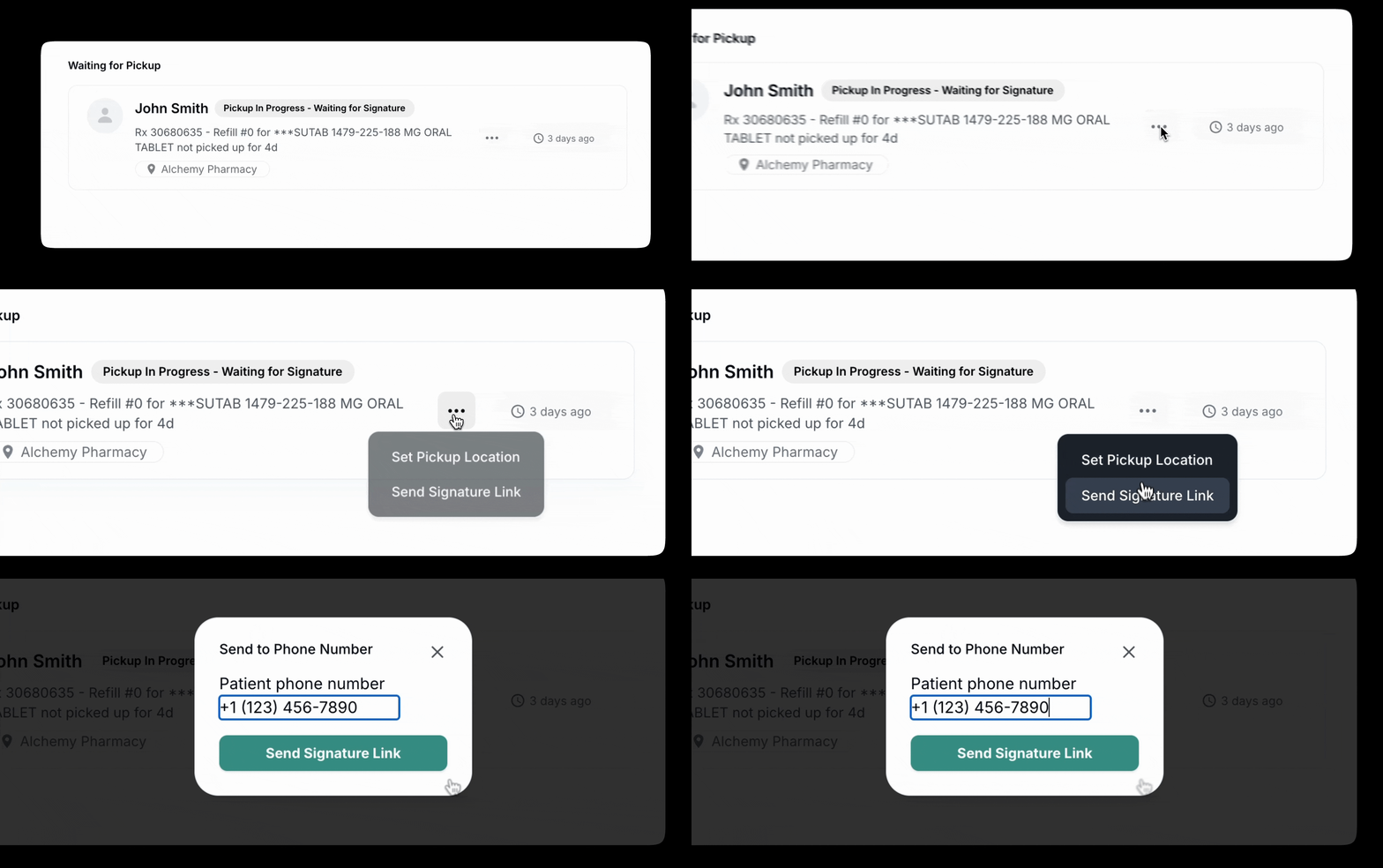
9. Send Signature Link to Patients via Text/SMS
Signatures are critical for PBM compliance… Pharmacy teams can now resend the signature link in two clicks…
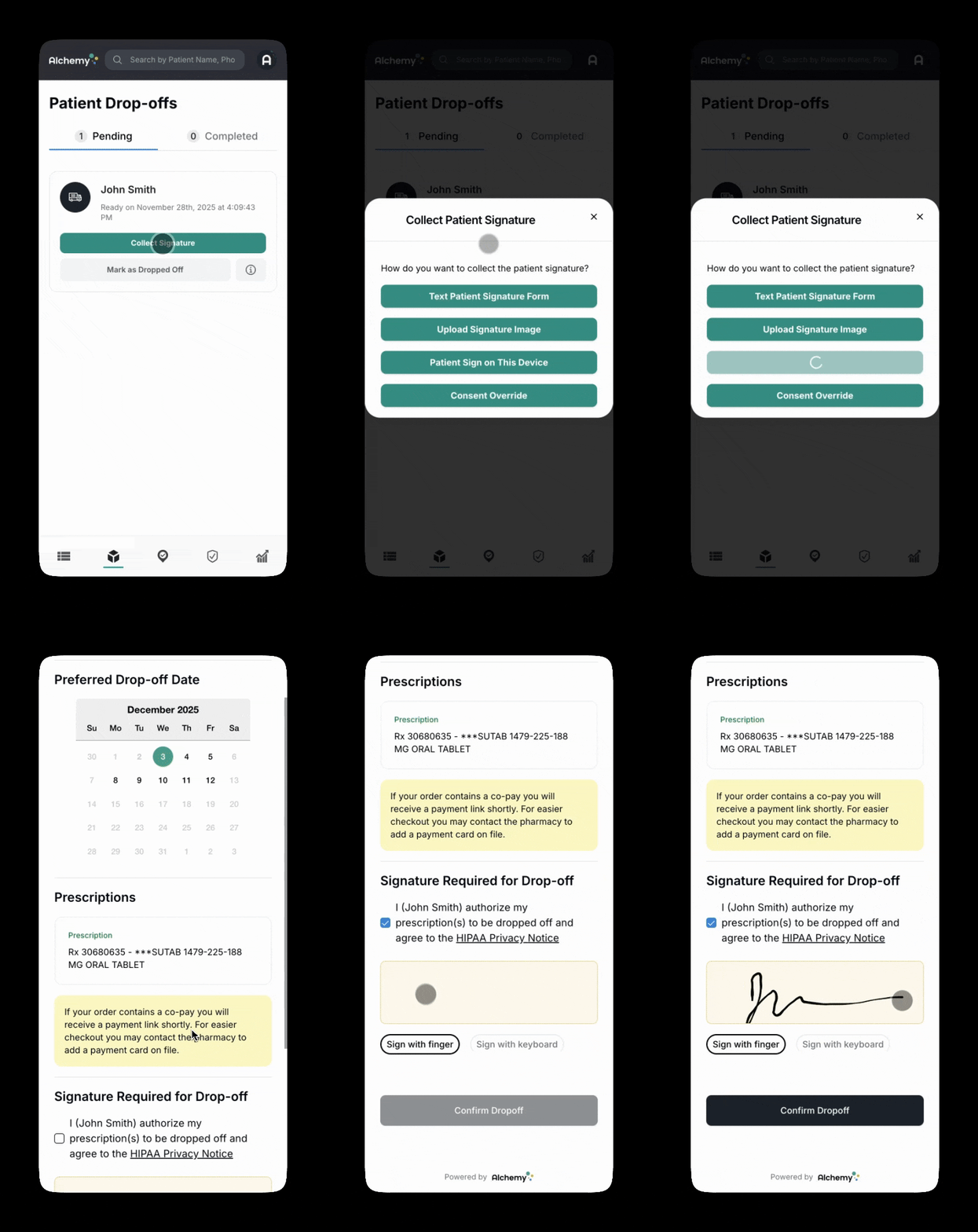
10. Drivers Can Collect Patient Signatures on Their Device
Drivers can capture signatures on the spot/ No searching, no delays… PBM compliance solved.
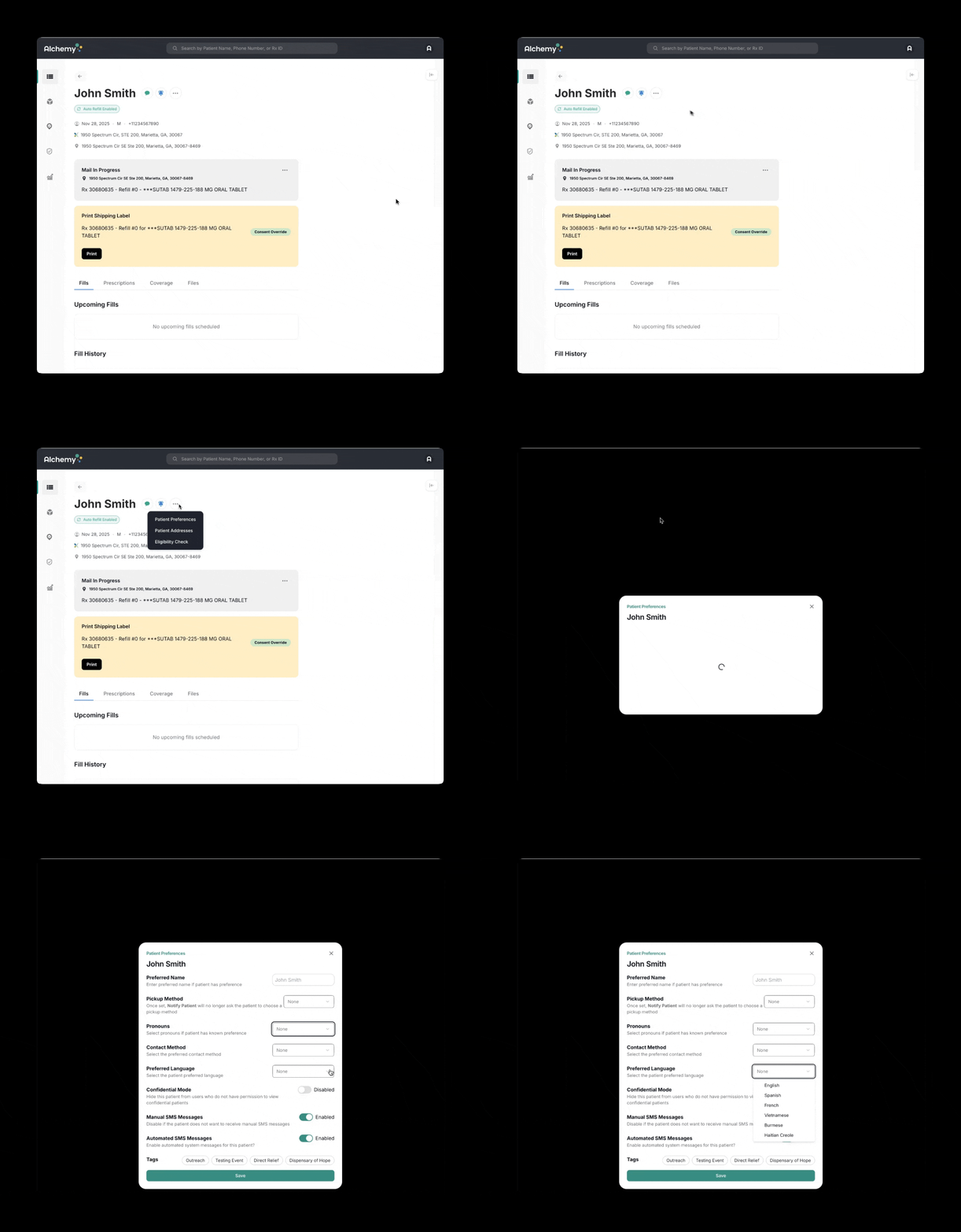
11. Set Preferred Language in the Patient Profile
Preferred language changes default automated SMS language… respectful, effective outreach…
12. See Shipping Price & Delivery Speed
See delivery speed estimates + real-time shipping costs across carriers/service levels…
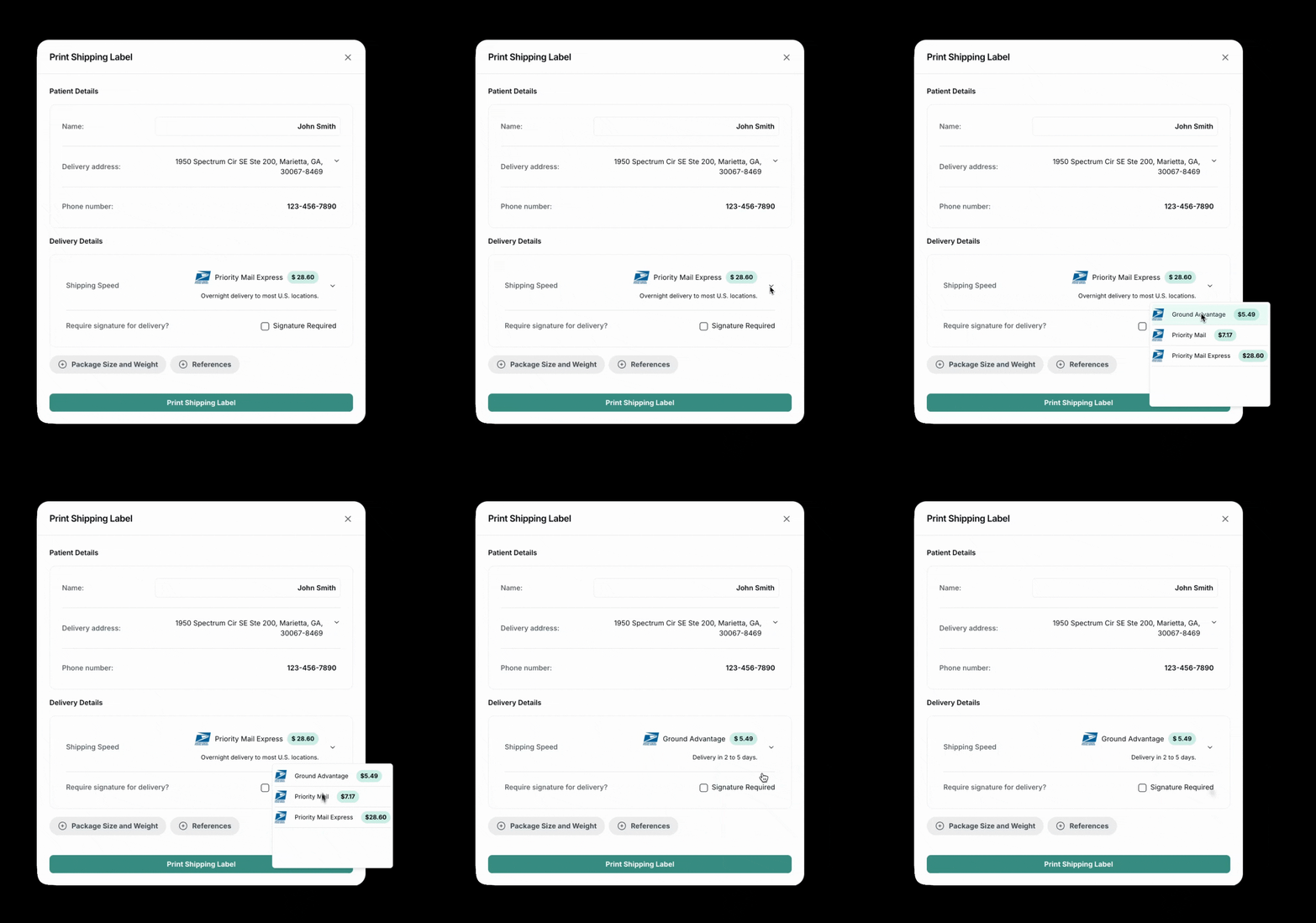
13. Advanced Shipping Notes for Shipments
Add gate codes, lobby access instructions, special delivery considerations…
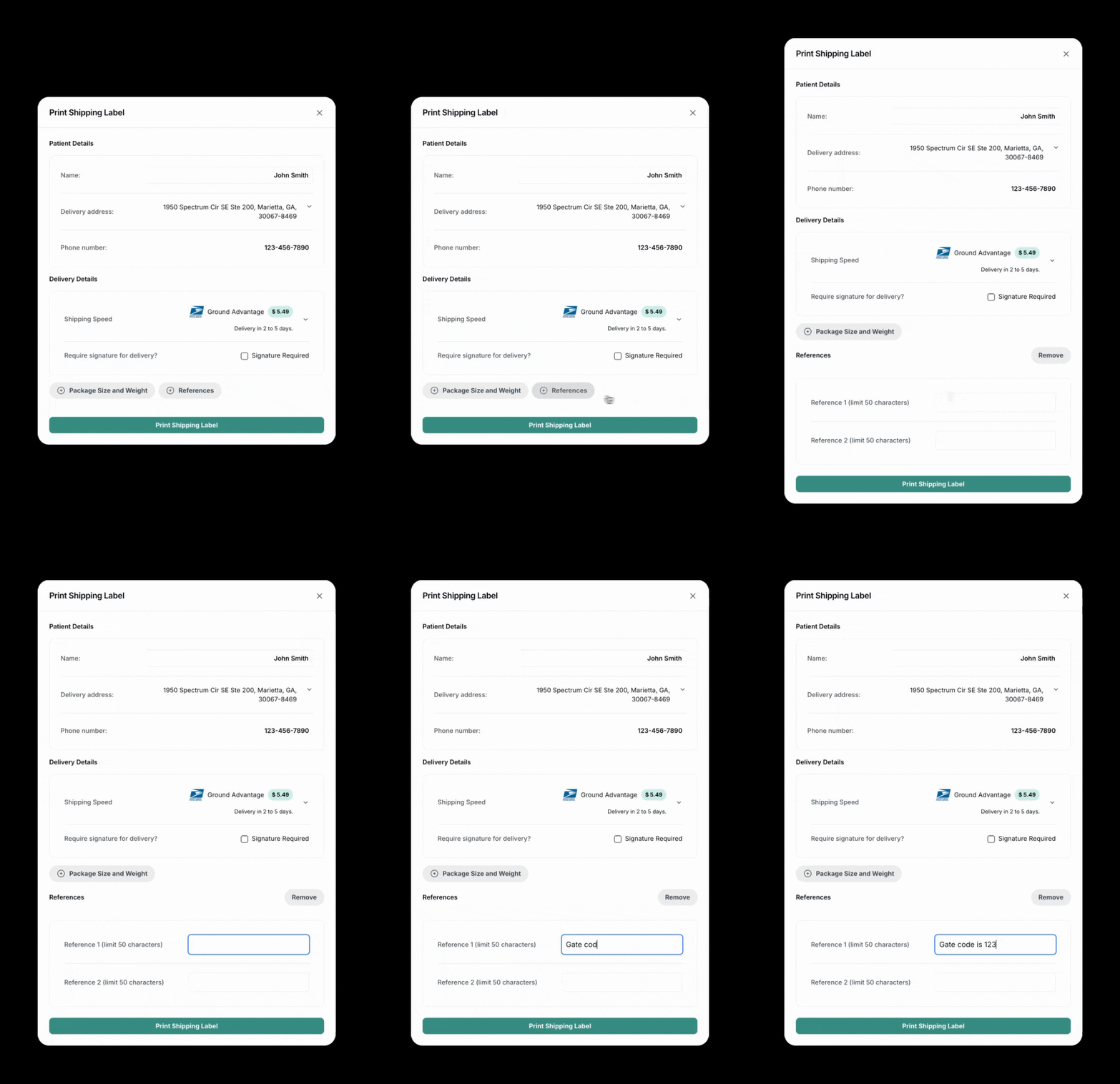
14. Preferred Contact Method & SMS Controls
Set preferred contact method + toggle automated/manual SMS on/off…
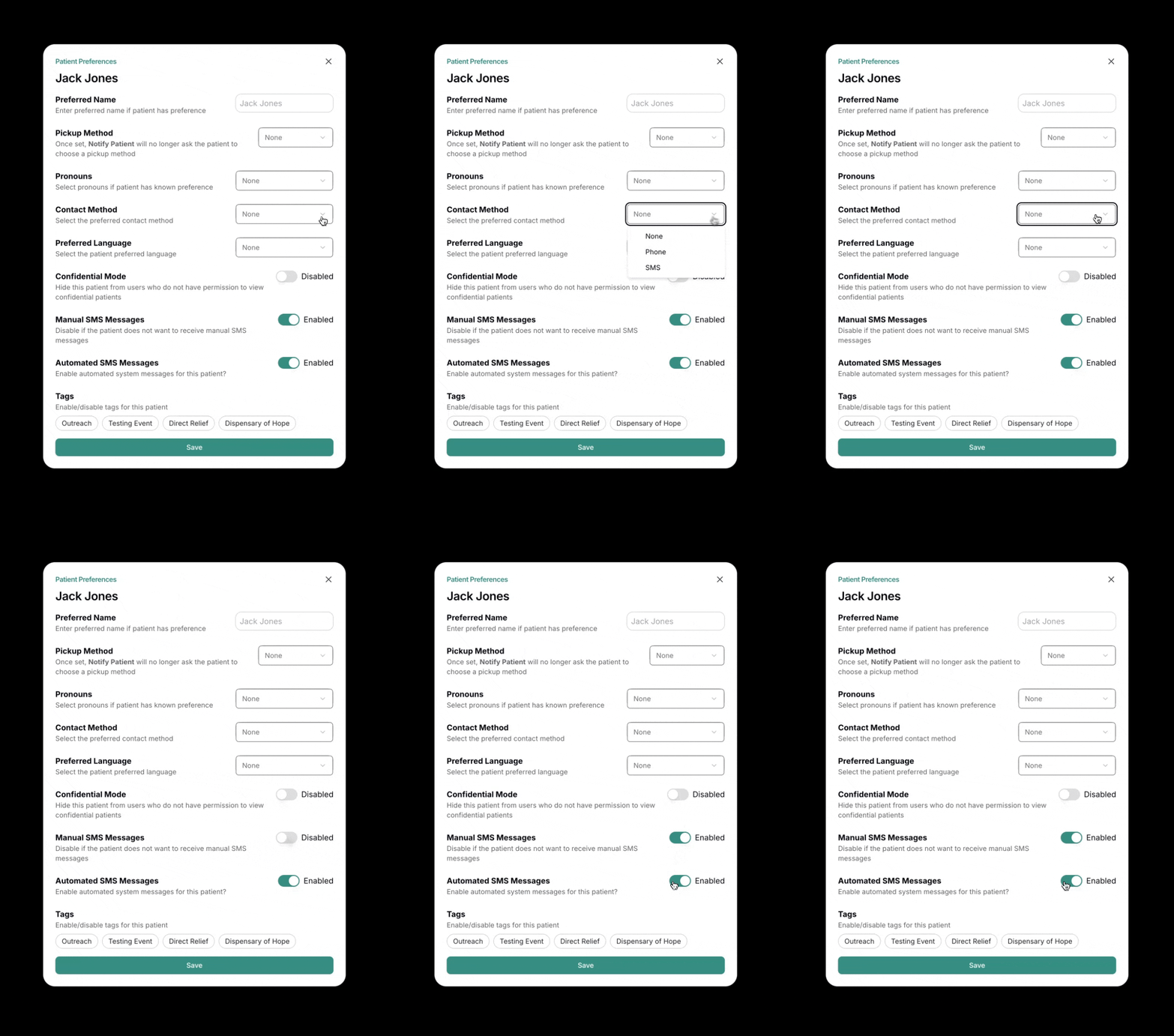
15. Bulk Check-In for Inter-Clinic Deliveries
Multi-site deliveries require accountability… check in multiple batches at once…
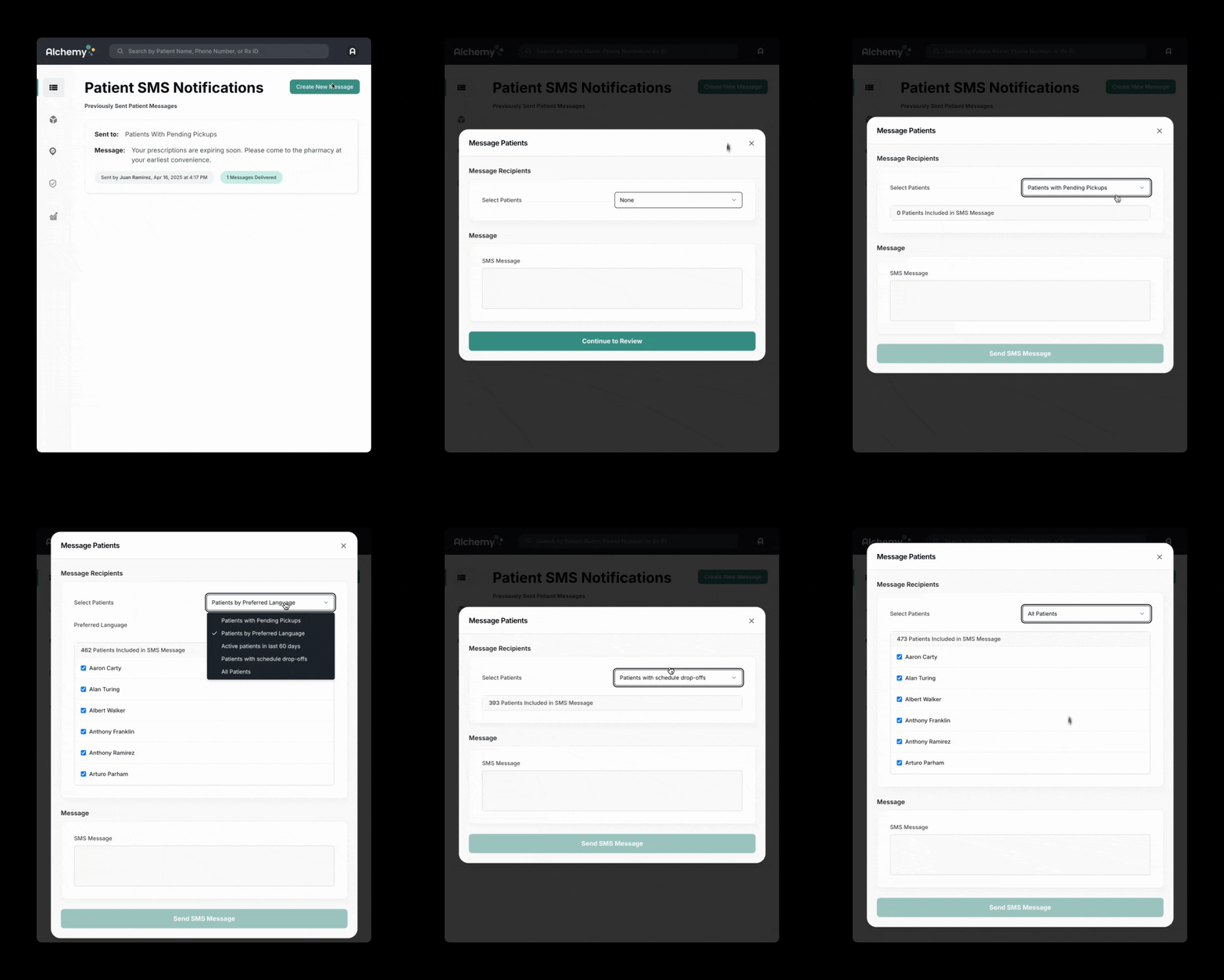
16. Mass Text/SMS Message Filters
Target bulk messages by patient type (pending pickups, scheduled drop-offs, active last 60 days, all patients)…
17. Drivers Can Send Signature Links During Drop-Off
Drivers can send the signature link from mobile view during drop-off…
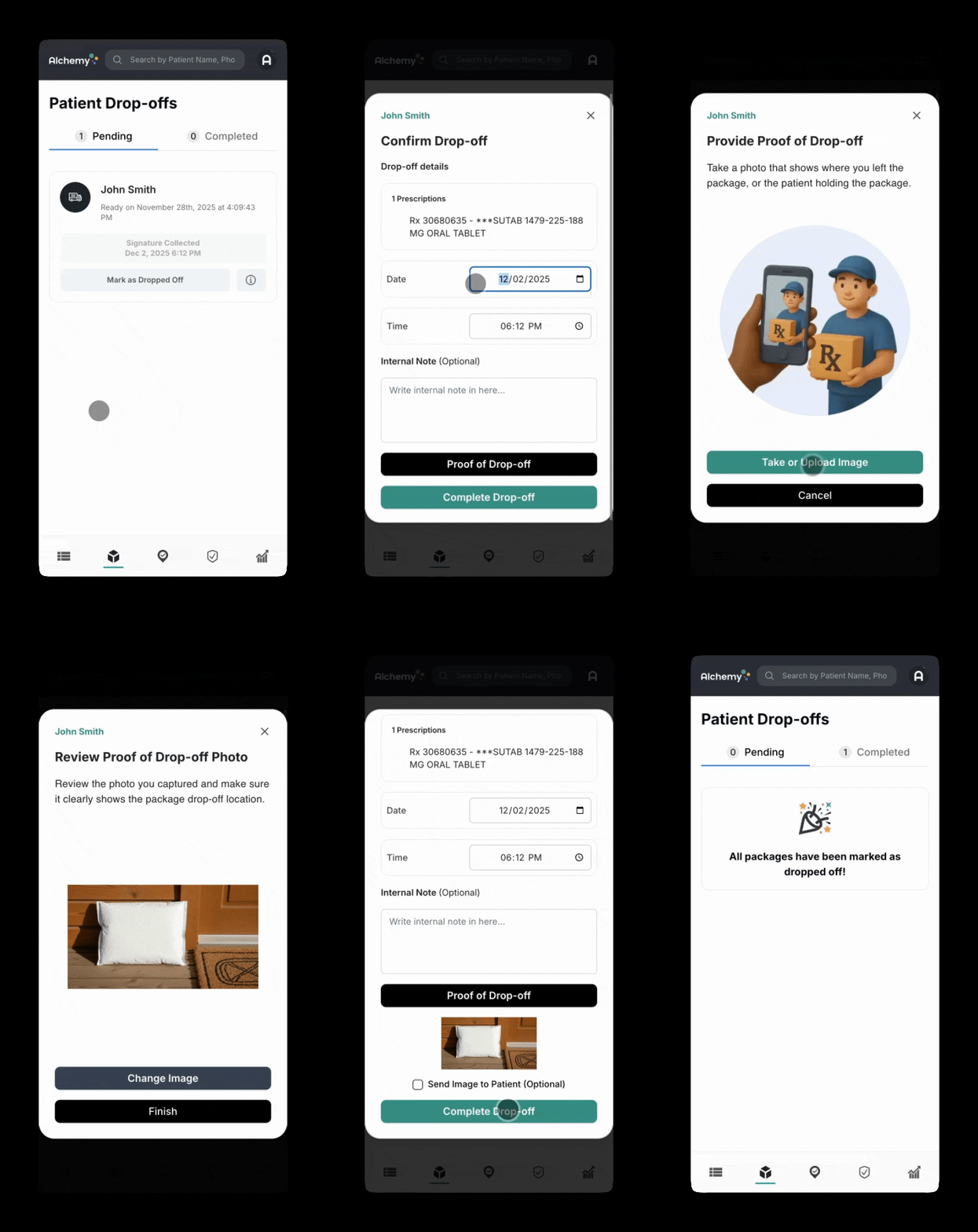
18. Photo Proof of Delivery for Prescription Drop-Offs
Just like food delivery apps, drivers can capture proof-of-delivery photos…
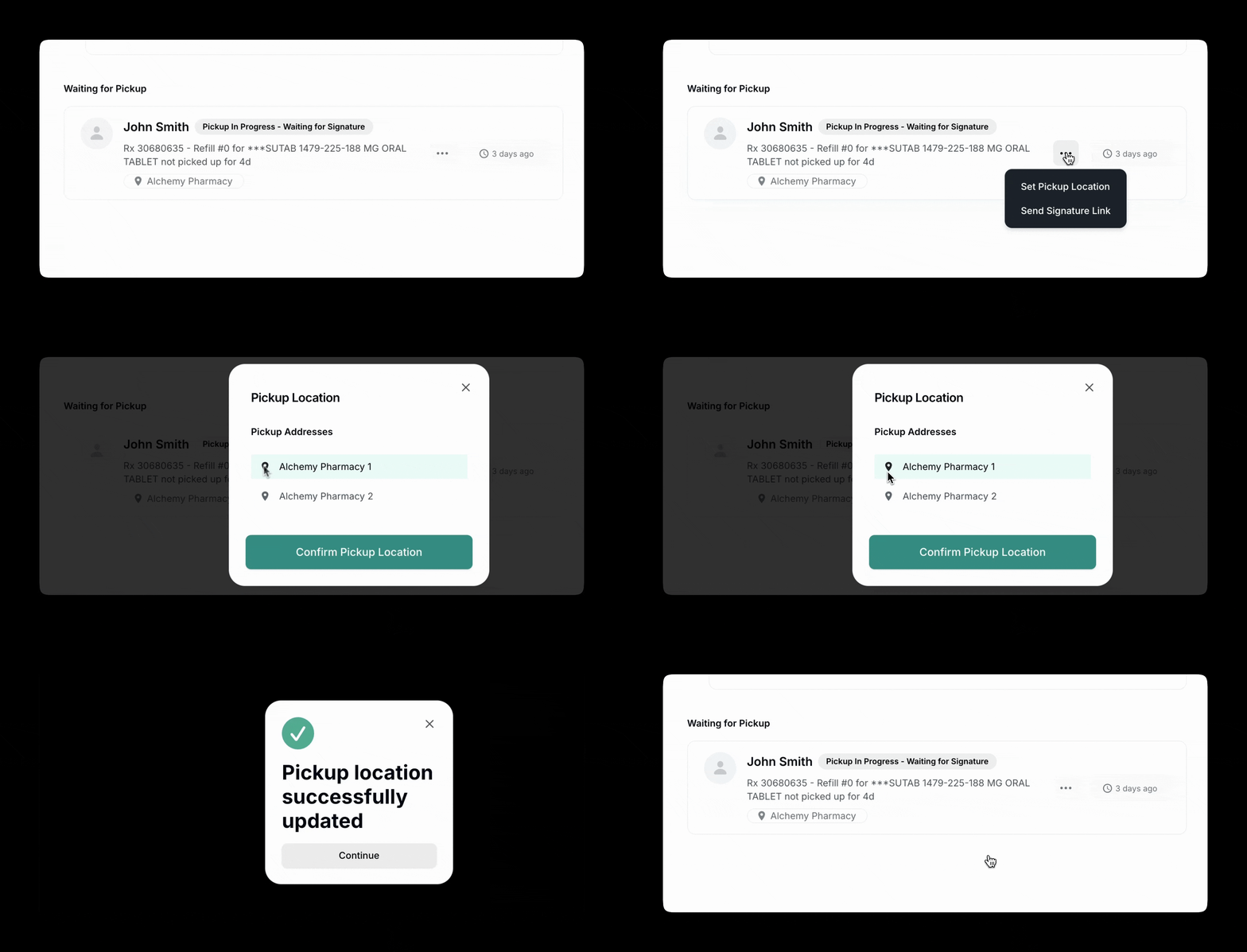
19. Select Patient Pickup Location
Change pickup location even if different from default clinic…
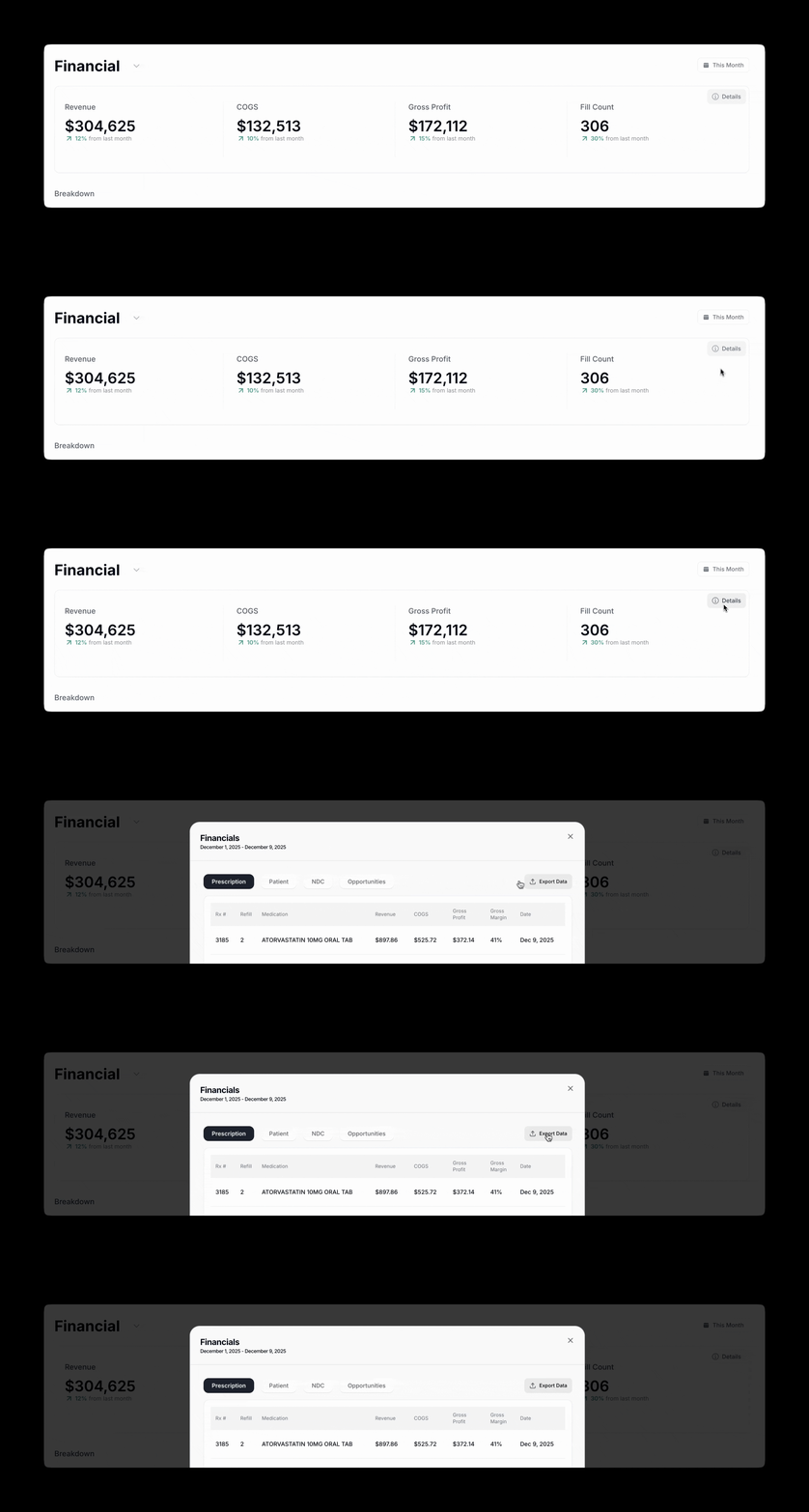
20. Export Financial Data
Export financial data; permissioned access for CE staff…
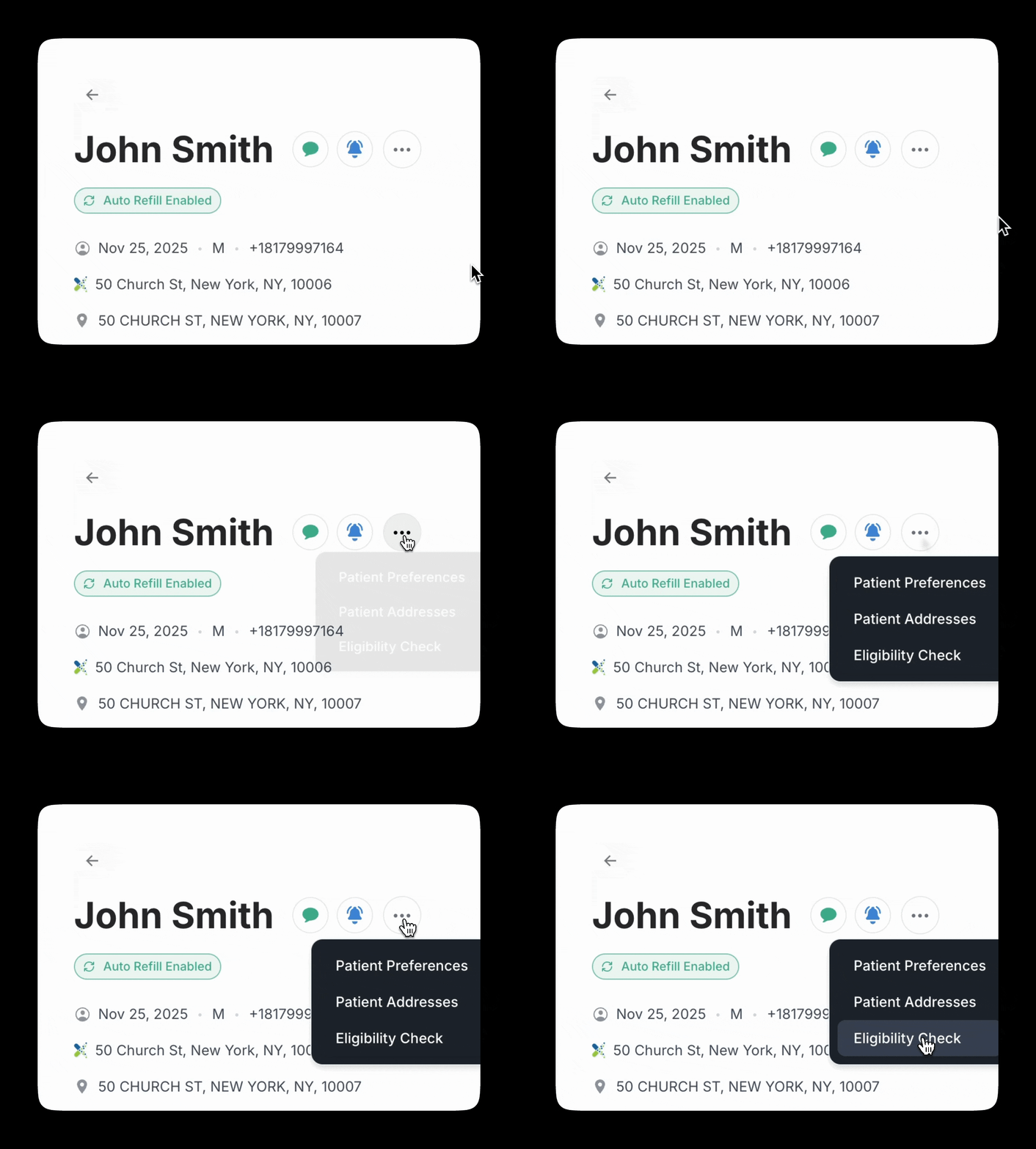
21. Run an E1 Eligibility Check in Seconds
Surface E1 eligibility checks directly in workflow…
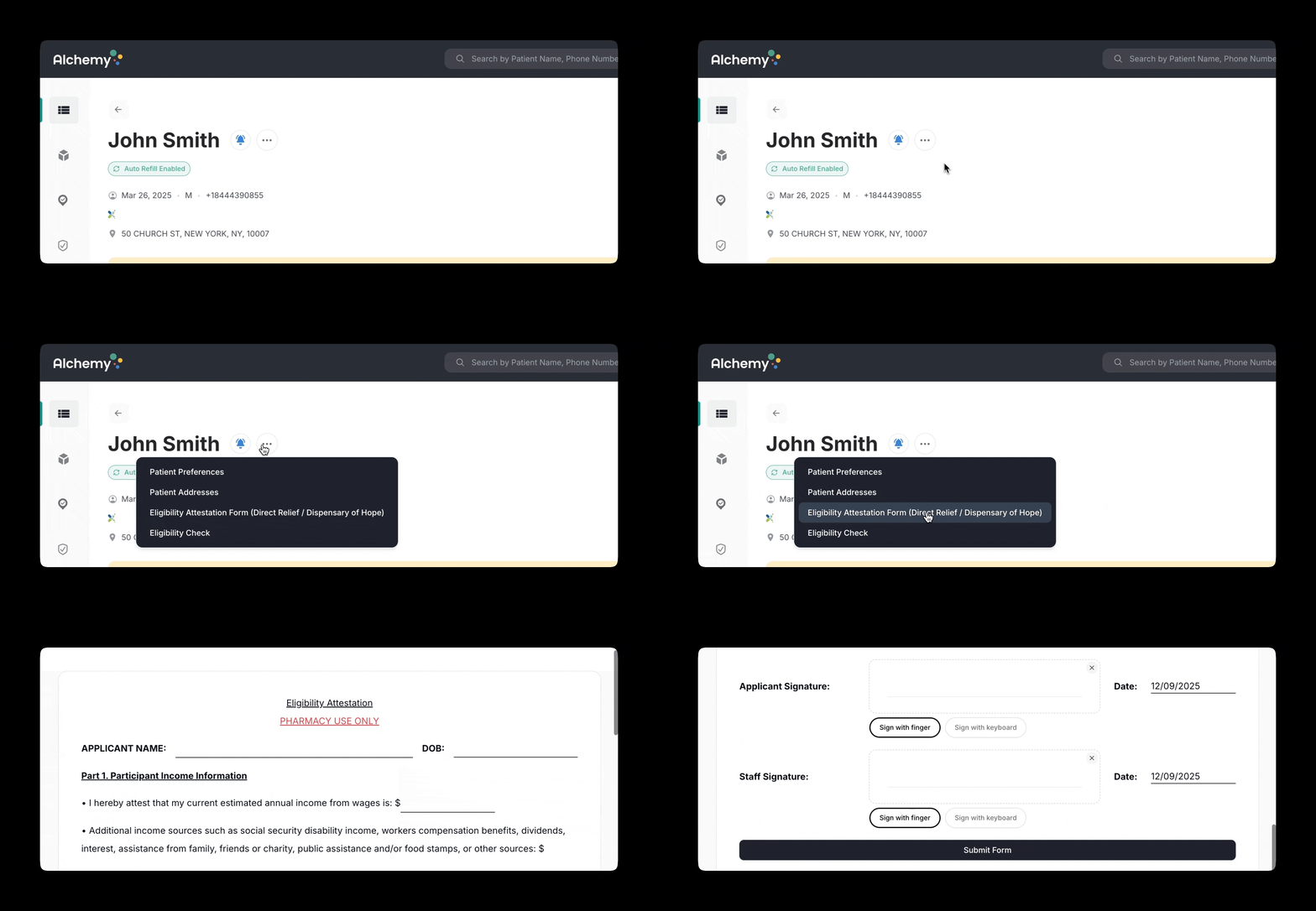
22. Custom Attestation Forms for Medication Assistance
Upload clinic-specific attestation forms for sliding fee and assistance programs…
23. See Upcoming Fills
Upcoming fills moved to top; separated from historical fills…
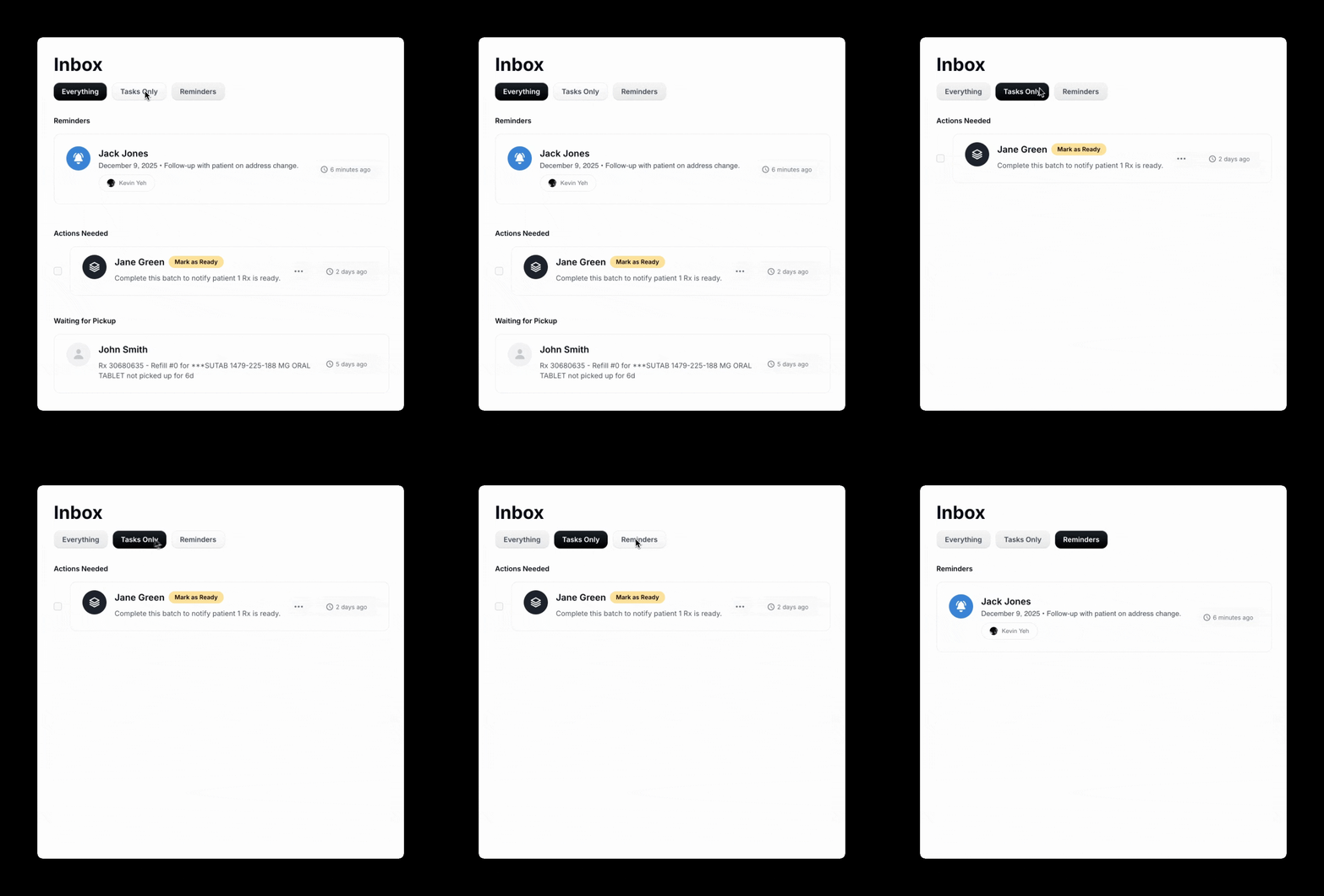
24. Inbox Filters for Faster Focus
Filter Inbox by text messages, tasks, reminders, everything…
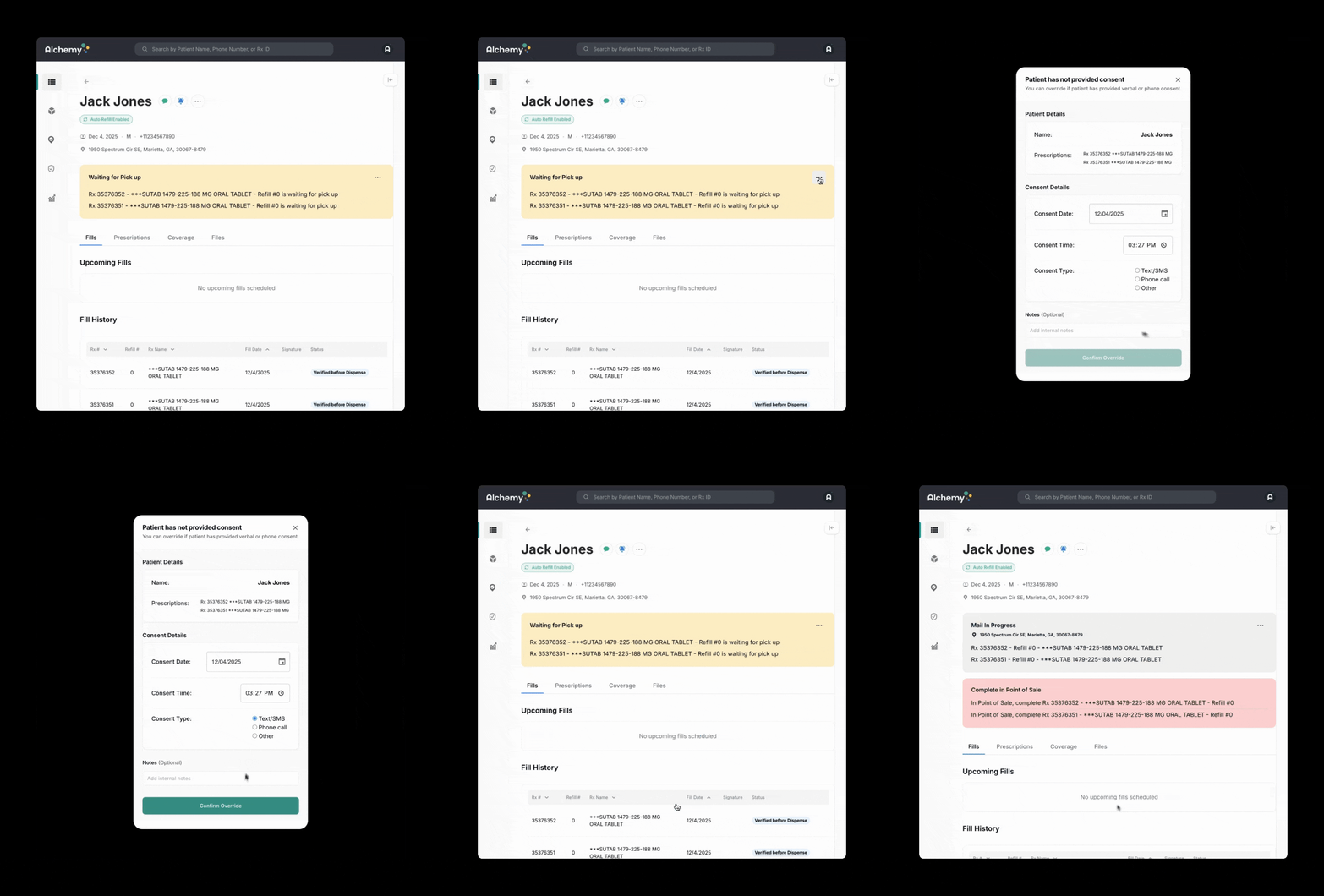
25. Set a Batch to Mail or Drop-Off
Act immediately on patient consent; set fulfillment method without waiting…
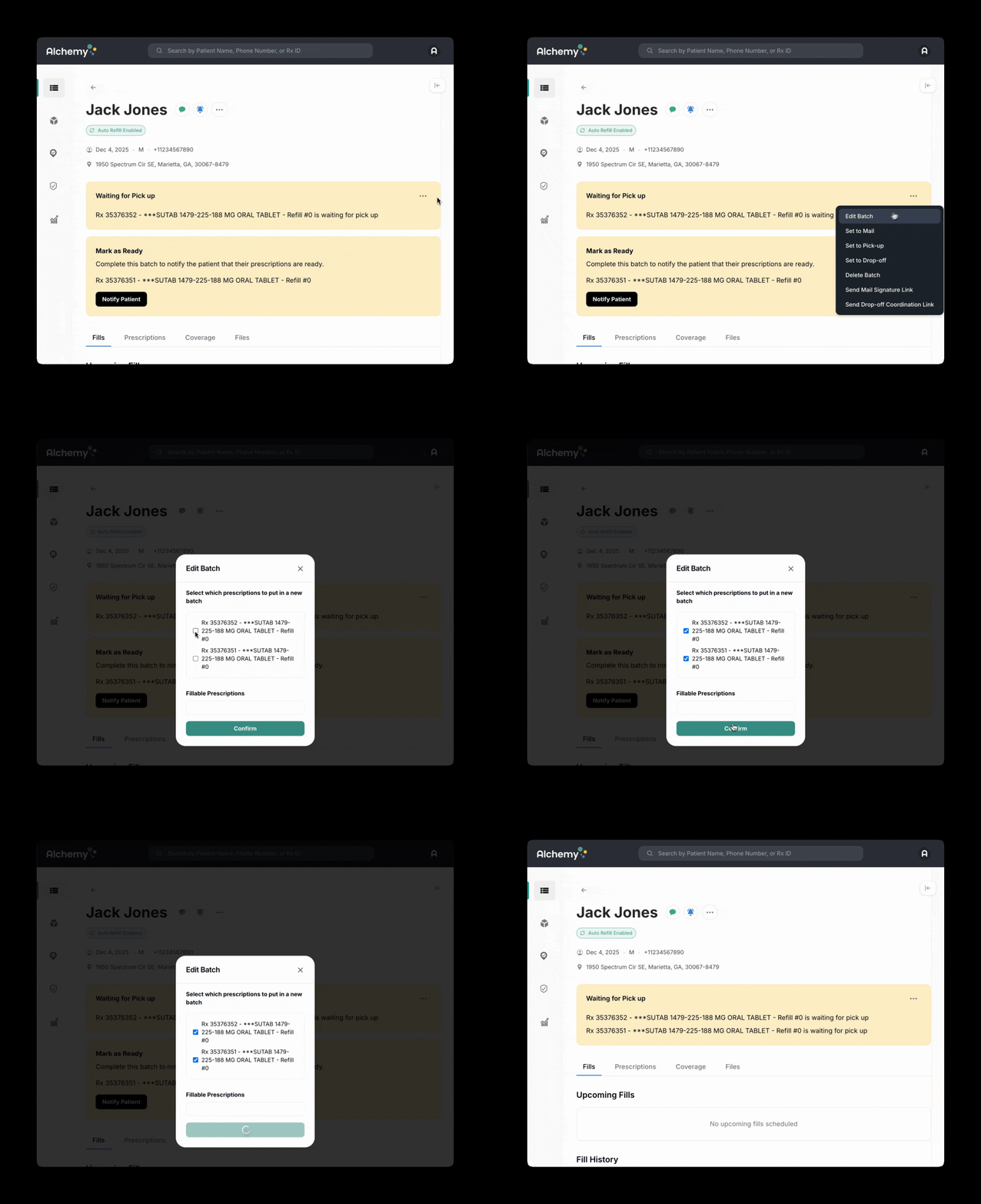
26. Add or Remove Prescriptions from a Batch
Edit prescriptions within a batch based on real-world changes…
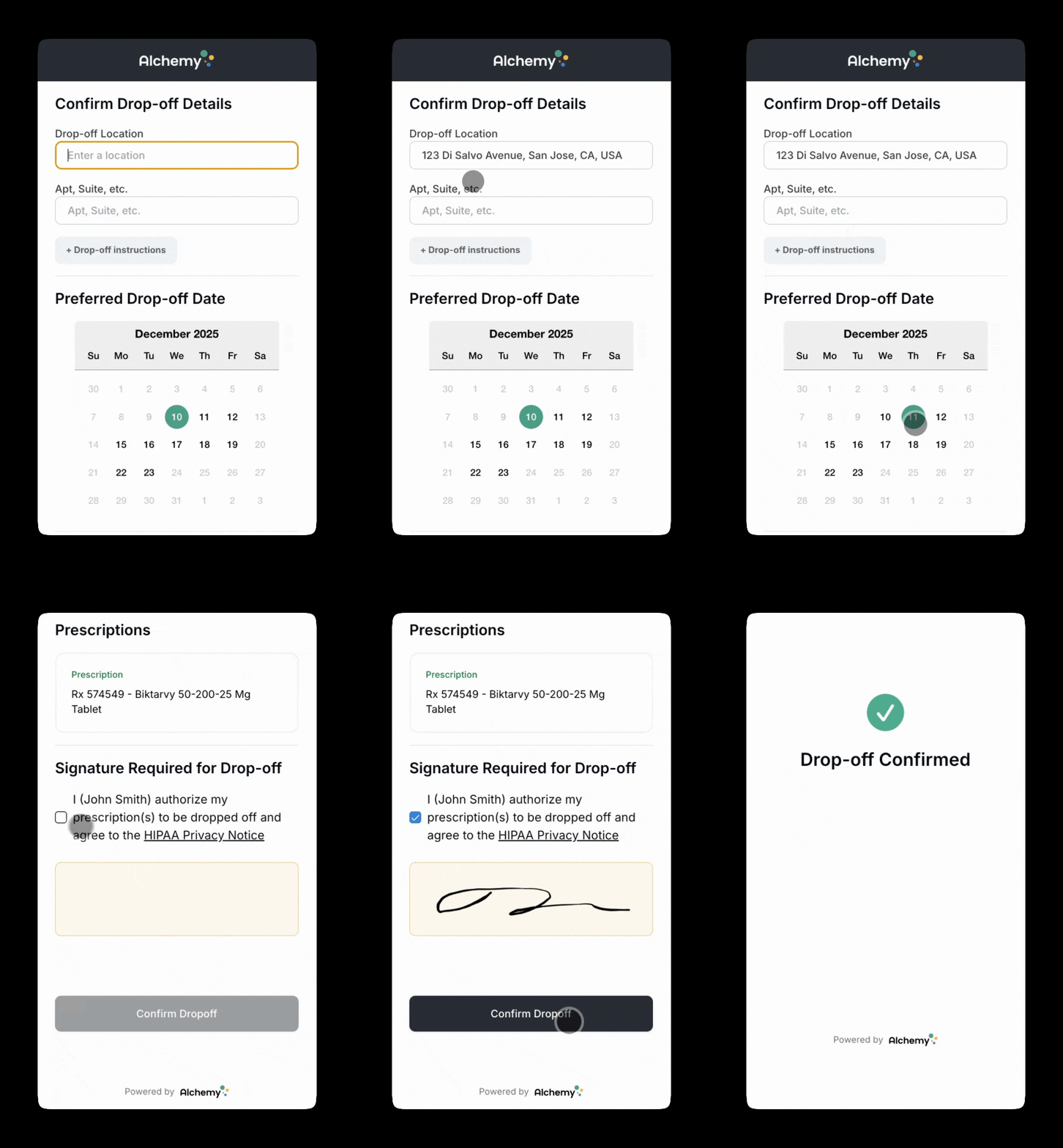
27. Patients Can Choose Drop-Off Location & Time
Patient-selected drop-off location and time for more convenient delivery…
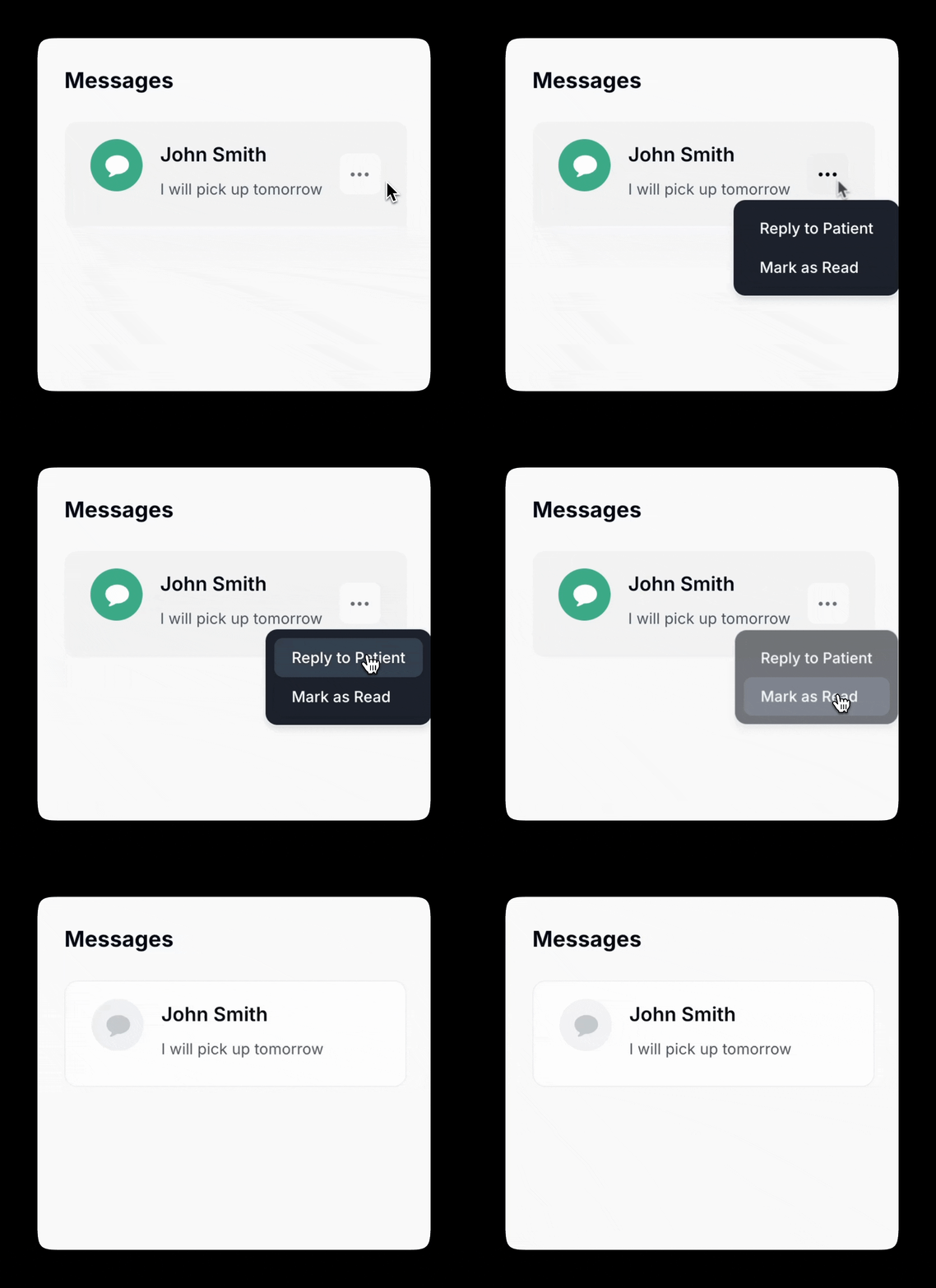
28. Mark a Text Message as Read
Mark messages read for clarity and calmer Inbox workflows…
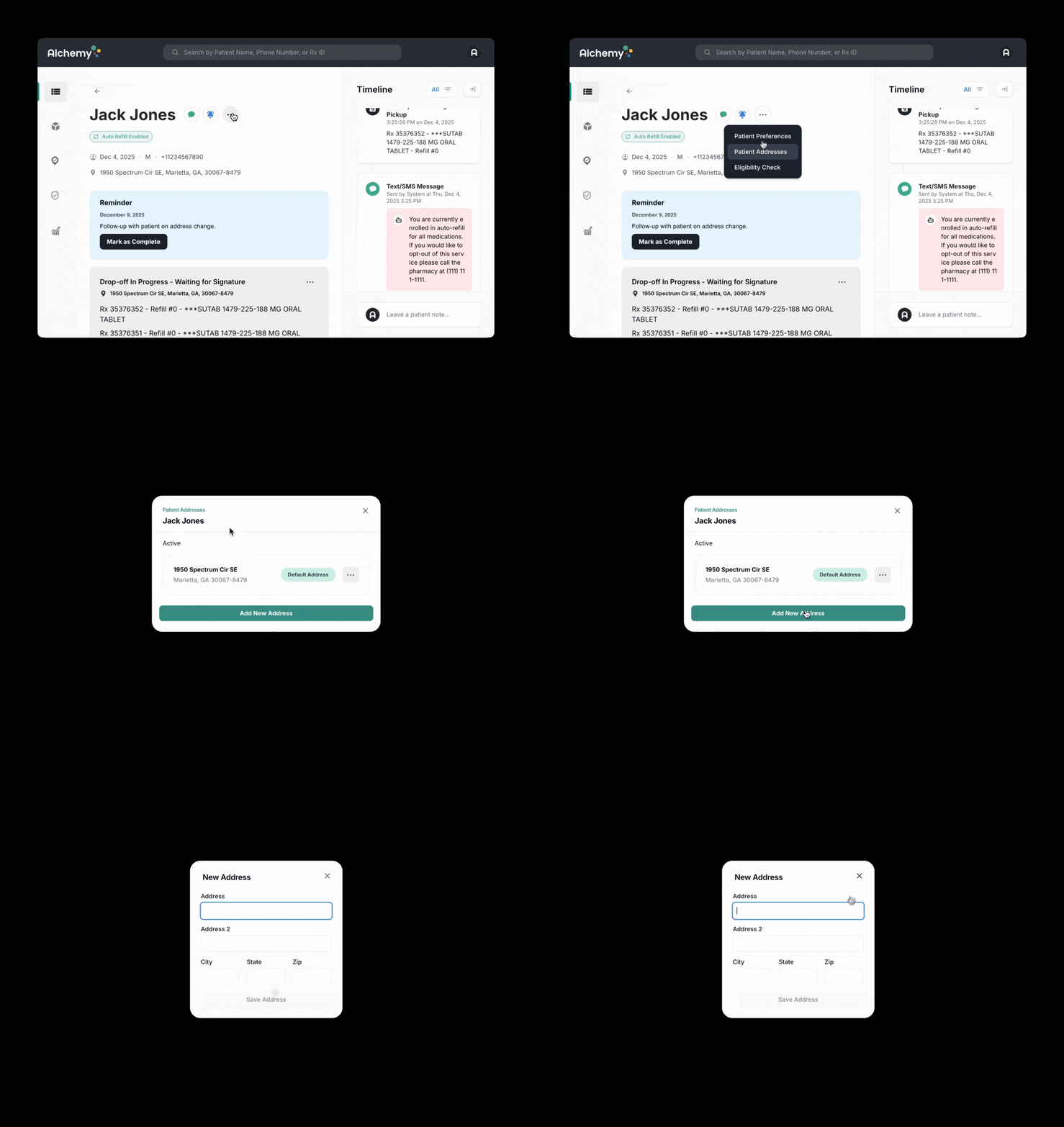
29. Add, Remove, or Edit a Patient’s Home Address
Update addresses quickly when EHR is outdated or patients move…
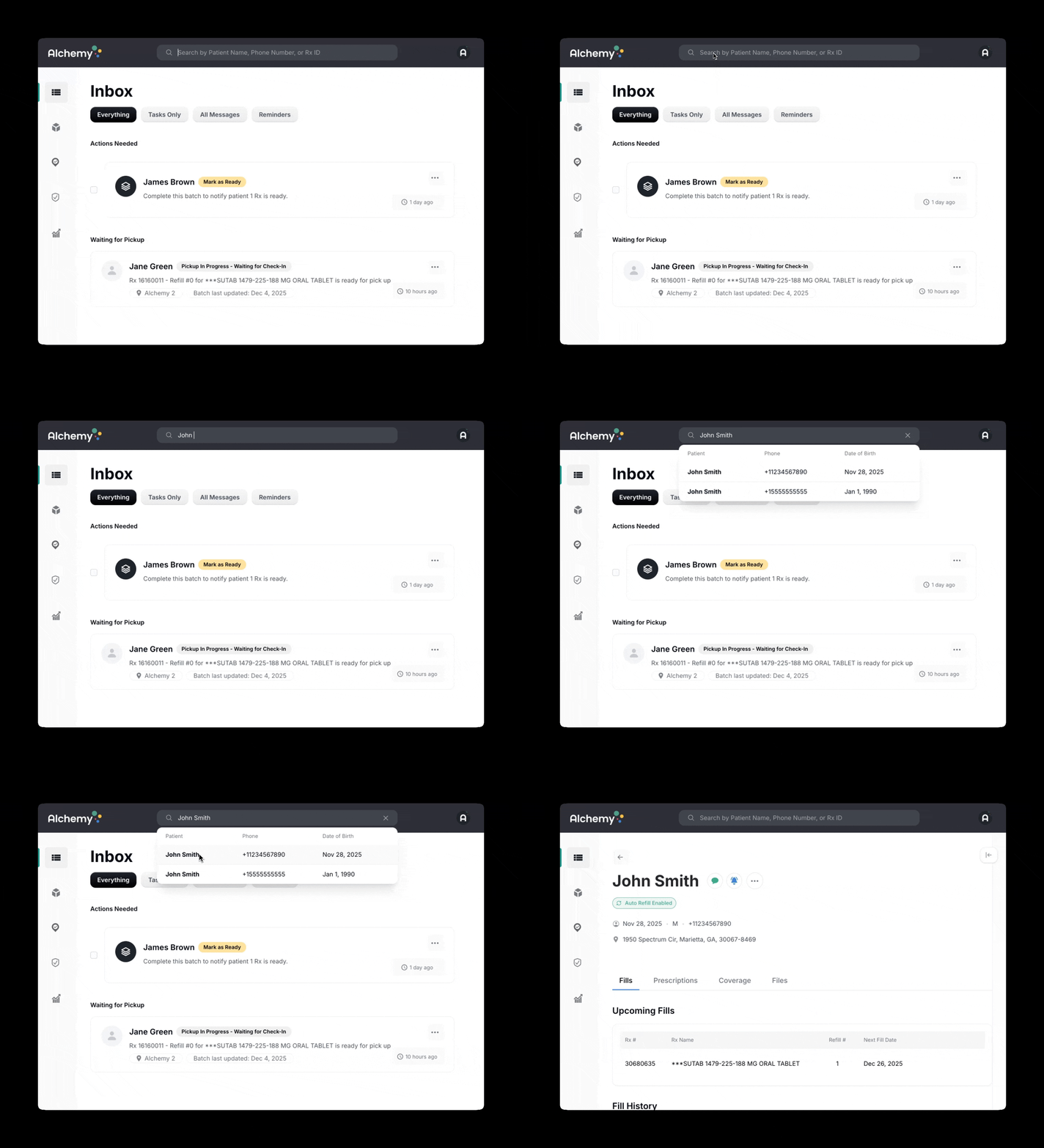
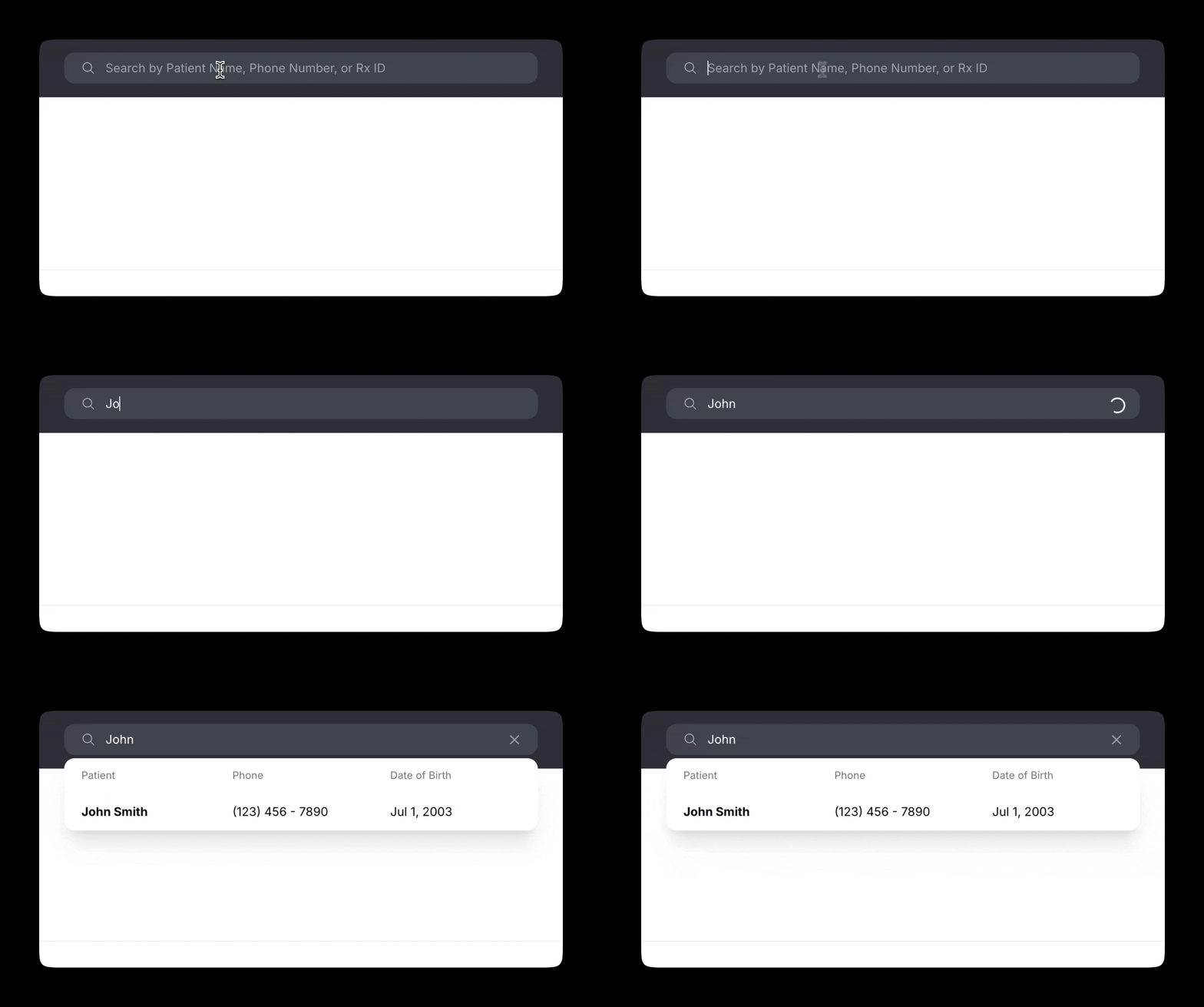
30. Blazing-Fast Patient Search
Search by first/last name, phone number, RX number… This series may be over, but we never stop shipping software at Alchemy.
Our Continued Commitment to Shipping Great Software
Thirty days. Thirty features. But more importantly: thirty proof points that our product velocity is real, and that we build alongside our clinic partners, listening closely to frontline workflows and shipping improvements continuously. This series might be over, but we never stop shipping.
If you’re a Covered Entity and want to see what it looks like to run a modern, patient-centered, high-capture 340B pharmacy operation with software that evolves weekly (and often daily), we’d love to show you.


